SubSmith: Learn languages from the content you love.
Understand what native speakers really say. Learn vocabulary in context. Make progress with every video you watch.
7-day free trial • No credit card
How it works
From file to fluency in three steps
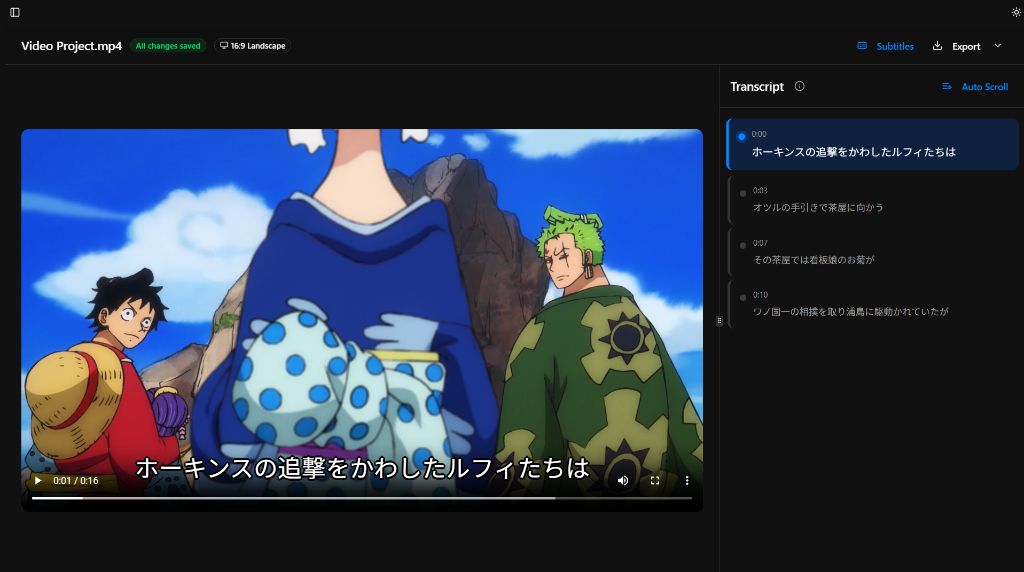
Drop any file. Get accurate subtitles.
Supports all popular formats: MKV, MP4, MP3. Accurately synced subtitles, so you never adjust timing again.
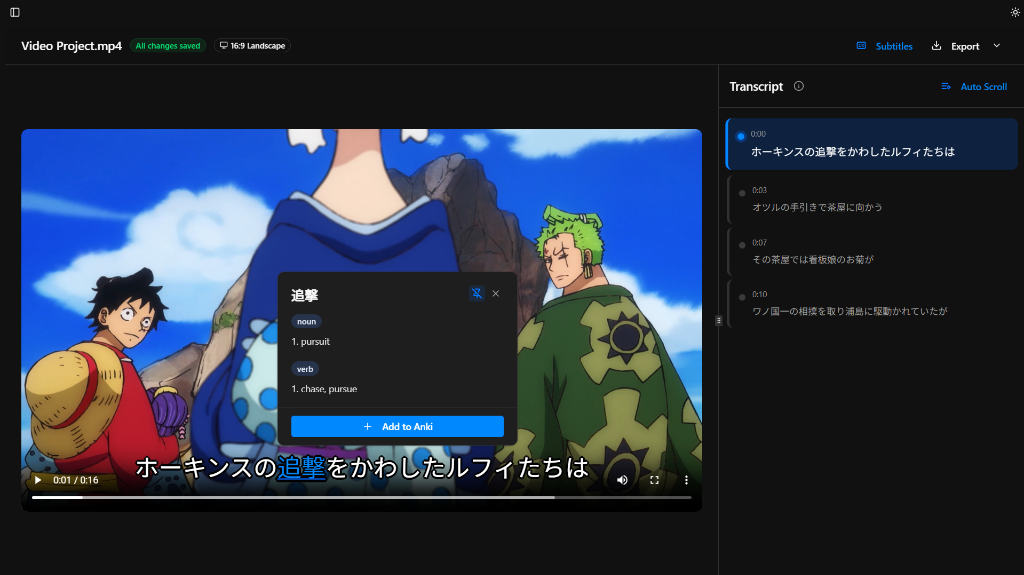
Stop pausing to check Google Translate
Hover over any word for instant definitions. Stay in the flow while building vocabulary naturally.
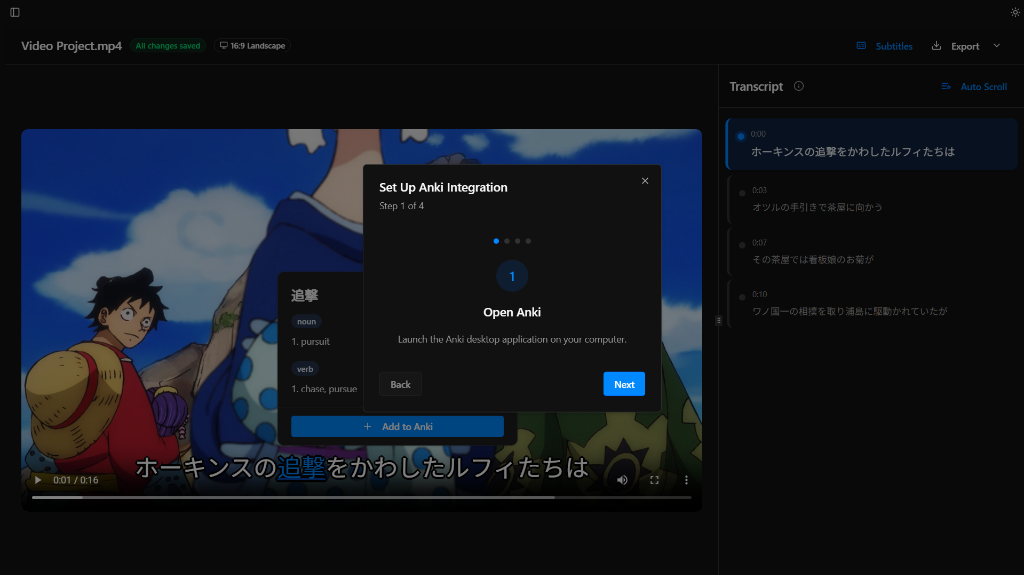
Mine sentences in one click
Export audio clips, screenshots, and definitions to Anki. Turn content into a week of flashcards.
Cheaper than a textbook. More effective than a class.
7-day free trial. No credit card required.
Billed annually. Cancel anytime.
- Learn from any video or audio file
- 99+ languages supported
- Hover dictionary with instant definitions
- One-click Anki flashcard export
- Edit timestamps and transcripts
- Export subtitles (SRT) or plain text
Best value - one payment, no renewals
- Learn from any video or audio file
- 99+ languages supported
- Hover dictionary with instant definitions
- One-click Anki flashcard export
- Edit timestamps and transcripts
- Export subtitles (SRT) or plain text
The Lifetime licence itself doesn't expire. Compatibility, updates, and online services depend on the supported lifetime of the product. See the Terms of Service.
Frequently Asked Questions
Everything you need to know about SubSmith
Where to go next
These guides help you move from curiosity to a concrete immersion workflow.
Estimate your immersion timeline
Use the Japanese roadmap or the Spanish roadmap to see how many hours it typically takes to reach your next level.
Study from local files, not just streaming sites
If your workflow starts with downloaded shows, podcasts, or MKV files, read how local-file sentence mining works before you build your setup.
Switch away from browser-only tools cleanly
If you are comparing desktop and browser workflows, start with the Language Reactor alternative guide for the main tradeoffs around local files, crashes, and offline study.