SRT vs VTT
SRT is the universal subtitle format and VTT is web-first. Most creators should start with SRT, then convert to VTT only when the platform needs it.
What It Does
The practical answer is simple: which file should you export right now? SRT is broadly compatible with video players and editing tools. VTT is designed for web playback and supports styling features in browser contexts.
- SRT works in most desktop players and many editors
- VTT is common for browser and HTML5 video workflows
- Both formats include timestamps and subtitle text
- SRT is usually the safest default export option
How It Works
- Generate subtitles in SubSmith
- Export as SRT for widest compatibility
- Convert to VTT if your web platform requires it
- Test playback before final publishing
See the Workflow
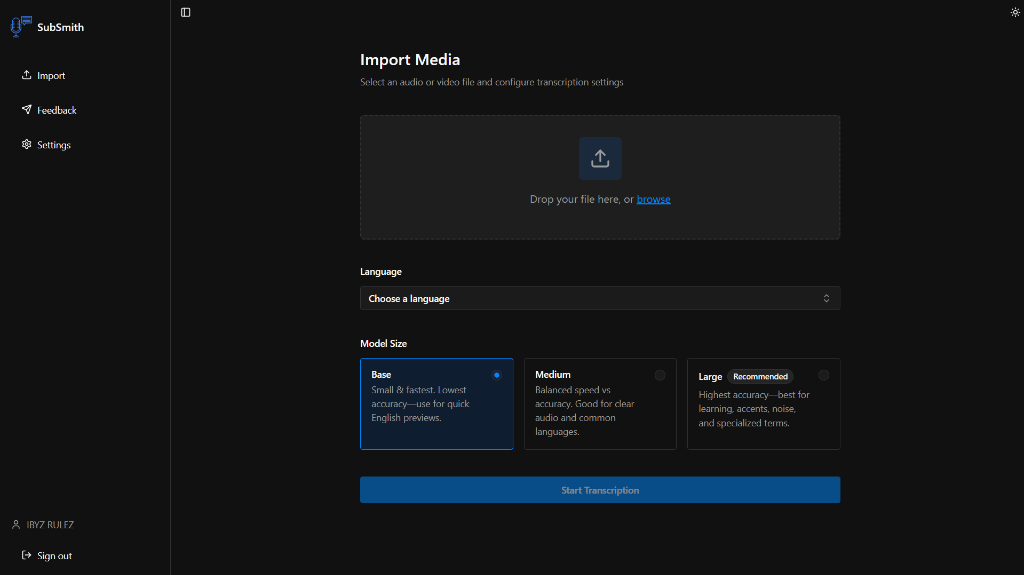
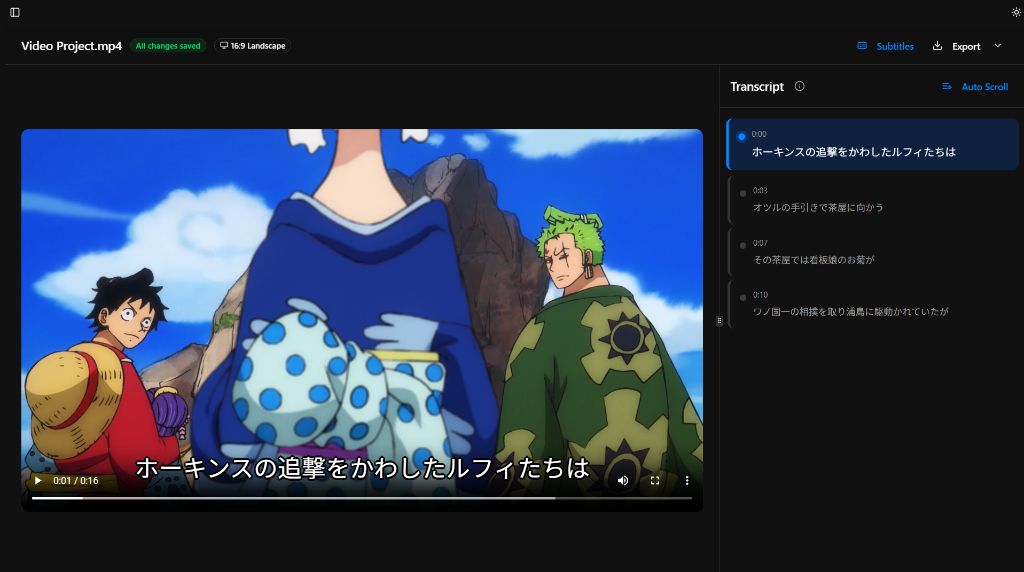
These are the parts of the app that matter most for subtitle generation: importing media, reviewing subtitles, looking up words, and saving useful lines for later study.
Best For
- Creators choosing subtitle format for delivery
- Learners who need portable subtitle files across tools
- Teams that reuse one transcript across multiple platforms
Why SubSmith
SubSmith keeps the subtitle generation and editing workflow simple, then gives you export flexibility. For most use cases, start with SRT as the source of truth and create other formats from that clean base file.
Built for Learning, Not Just Export
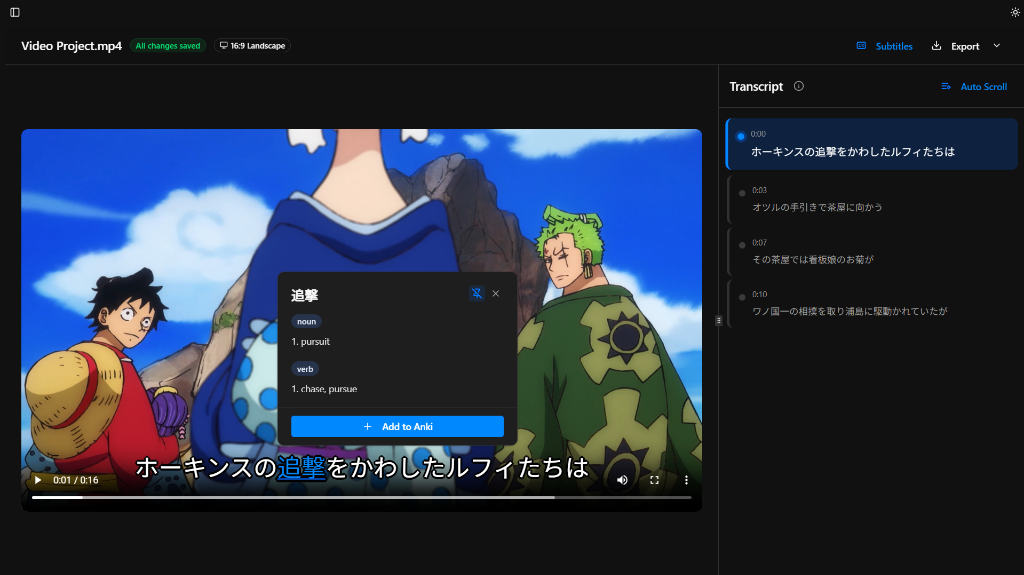
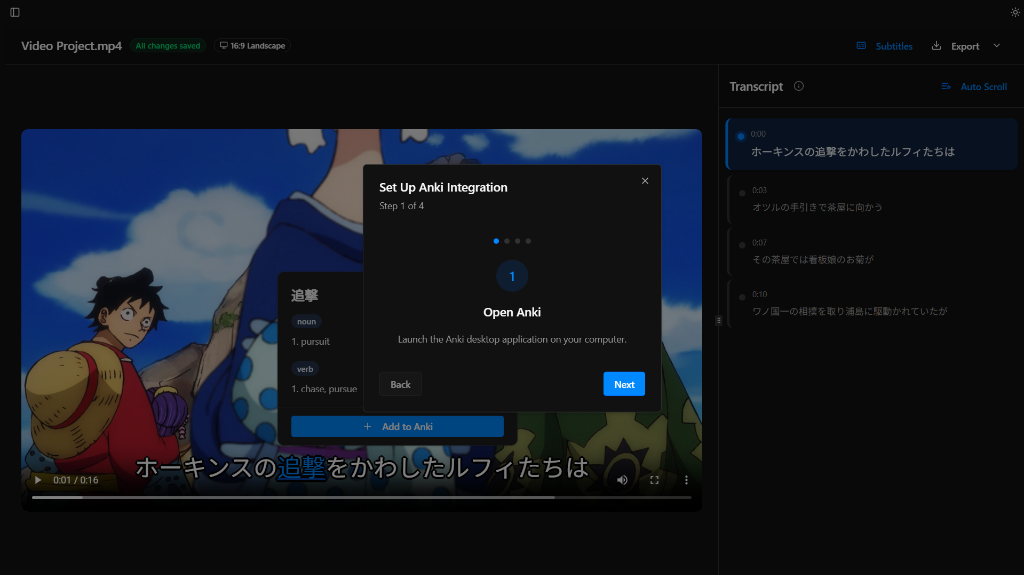
Most subtitle tools stop at transcription and export. SubSmith also supports popup dictionary lookup while you read through subtitles and lets you turn useful lines into flashcards for later review.
- Popup dictionary support for quick word lookups while reviewing subtitles
- Flashcard creation from subtitle lines for Anki-based study workflows
- Useful if you want subtitles and a language-learning workflow in the same app
Download SubSmith
Start a 7-day free trial and generate subtitles from your own media. Review them, look up words instantly, and save useful lines as flashcards.