Subtitle Generator vs Auto Captions
Auto captions are convenient, but they are usually post-upload and hard to control. A subtitle generator gives you an editable subtitle file before publishing.
What It Does
If you need reliable captions for lessons, tutorials, or language content, the difference is simple: auto captions are an automatic draft, while subtitle generation is a workflow where you control timing, wording, and export format.
- Auto captions are generated after upload on platform terms
- Subtitle generators let you review text before publishing
- SRT export gives portability across platforms and editors
- Local workflows are better for long files and private media
How It Works
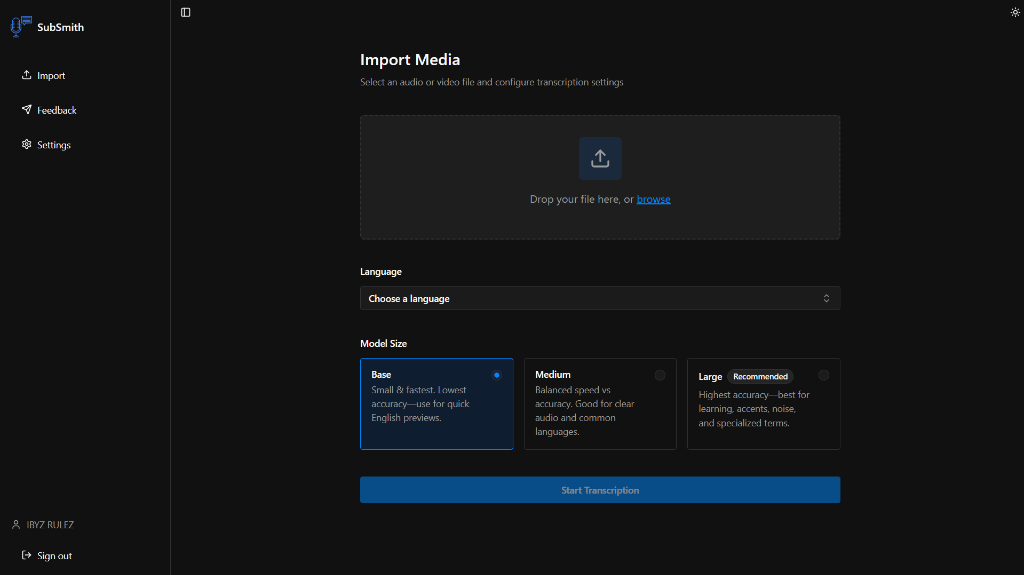
- Generate subtitles from your local source file
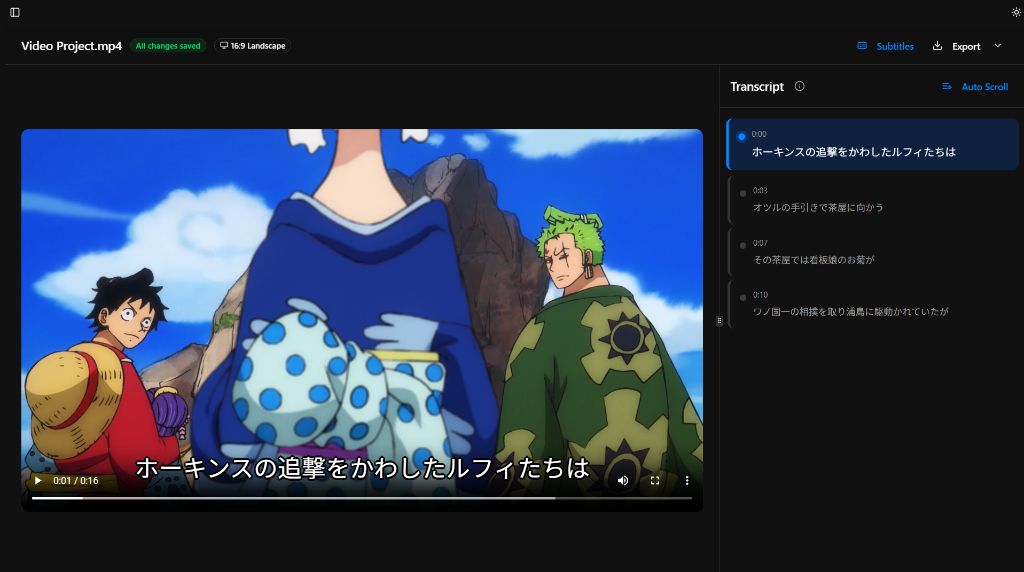
- Review names, terminology, and punctuation
- Fix timing where the draft needs adjustment
- Export SRT and publish with confidence
See the Workflow
These are the parts of the app that matter most for subtitle generation: importing media, reviewing subtitles, looking up words, and saving useful lines for later study.
Best For
- Creators who need cleaner captions than default auto captions
- Educators publishing technical or domain-specific vocabulary
- Language learners who want caption quality they can trust
Why SubSmith
Platform auto captions are useful as a fallback, but they can mis-handle names, jargon, and multilingual content. SubSmith gives you a pre-publication pass where you can correct the transcript and keep an editable subtitle file for reuse.
Built for Learning, Not Just Export
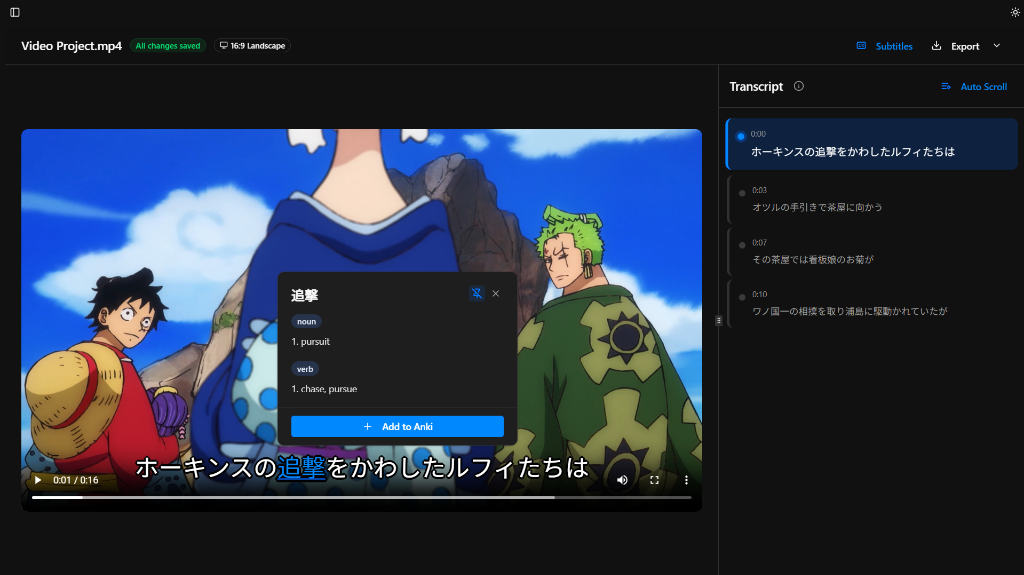
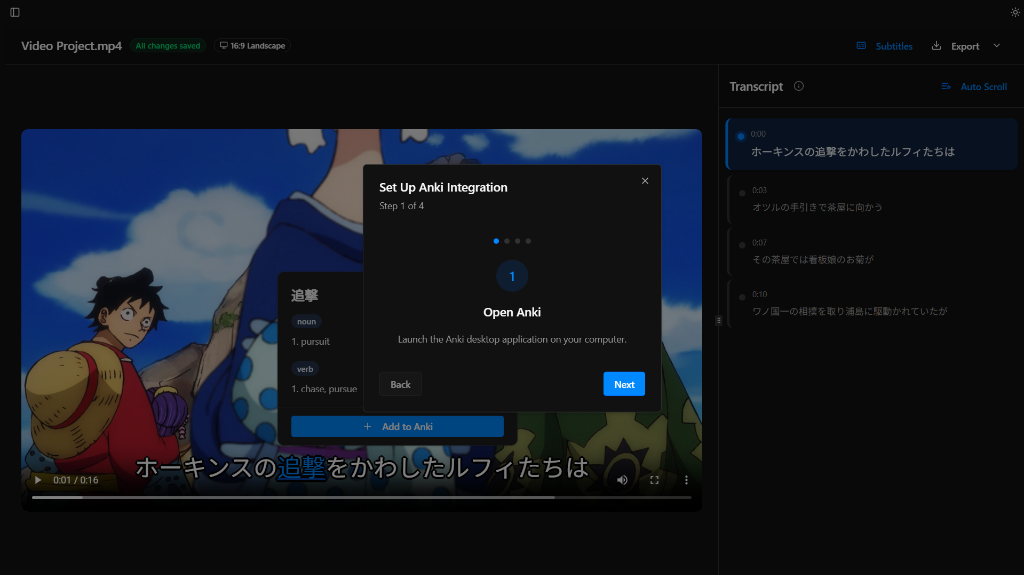
Most subtitle tools stop at transcription and export. SubSmith also supports popup dictionary lookup while you read through subtitles and lets you turn useful lines into flashcards for later review.
- Popup dictionary support for quick word lookups while reviewing subtitles
- Flashcard creation from subtitle lines for Anki-based study workflows
- Useful if you want subtitles and a language-learning workflow in the same app
Download SubSmith
Start a 7-day free trial and generate subtitles from your own media. Review them, look up words instantly, and save useful lines as flashcards.