Subtitle Generator From Audio
Turn audio files into subtitle files with timestamps. SubSmith can transcribe podcasts, interviews, and lessons, then export the result as SRT or plain text.
What It Does
Audio-only files still need timed text, whether that's a podcast, an interview, or a voice memo. SubSmith handles MP3 and WAV files directly, so you can create subtitle files even when there is no video track.
- Works with MP3, WAV, and other common audio formats
- Creates timestamps automatically
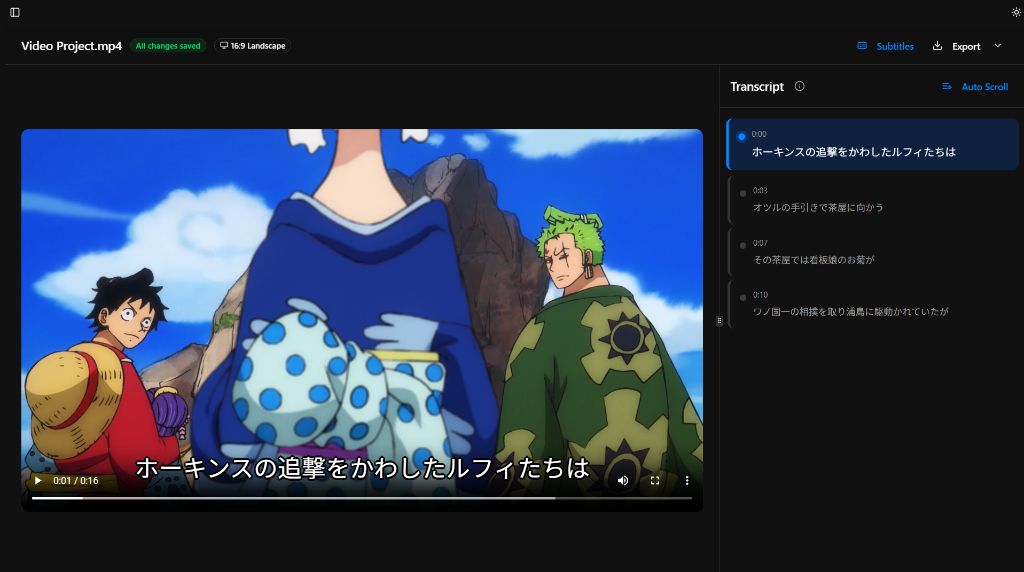
- Lets you edit wording and cue timing before export
- Useful for podcasts, lessons, and spoken-word recordings
How It Works
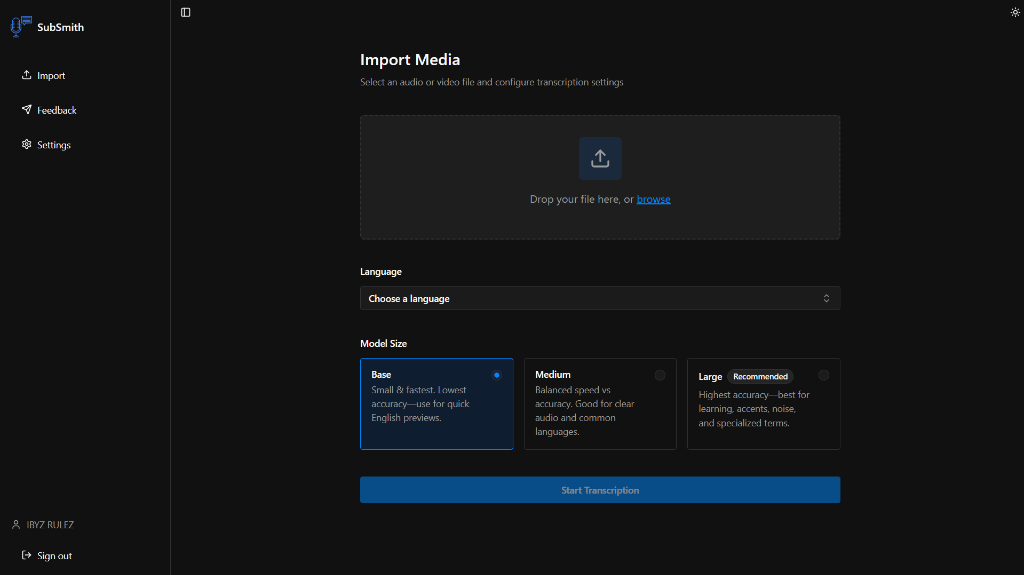
- Open the audio file in SubSmith
- Pick the language and model
- Generate the timed transcript
- Export SRT or plain text
See the Workflow
These are the parts of the app that matter most for subtitle generation: importing media, reviewing subtitles, looking up words, and saving useful lines for later study.
Best For
- Podcast and interview transcripts that need timestamps
- Language lessons and listening drills
- Converting audio-only material into subtitle-ready text
Why SubSmith
Most tools frame this as transcription, but the useful output is often a subtitle file with timing you can reuse elsewhere. SubSmith keeps that workflow simple and local.
Built for Learning, Not Just Export
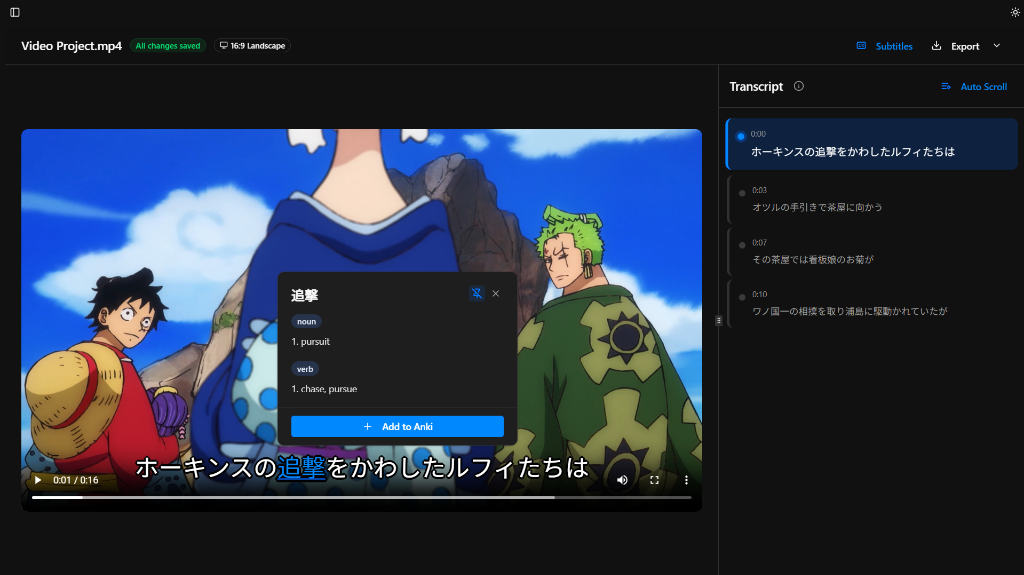
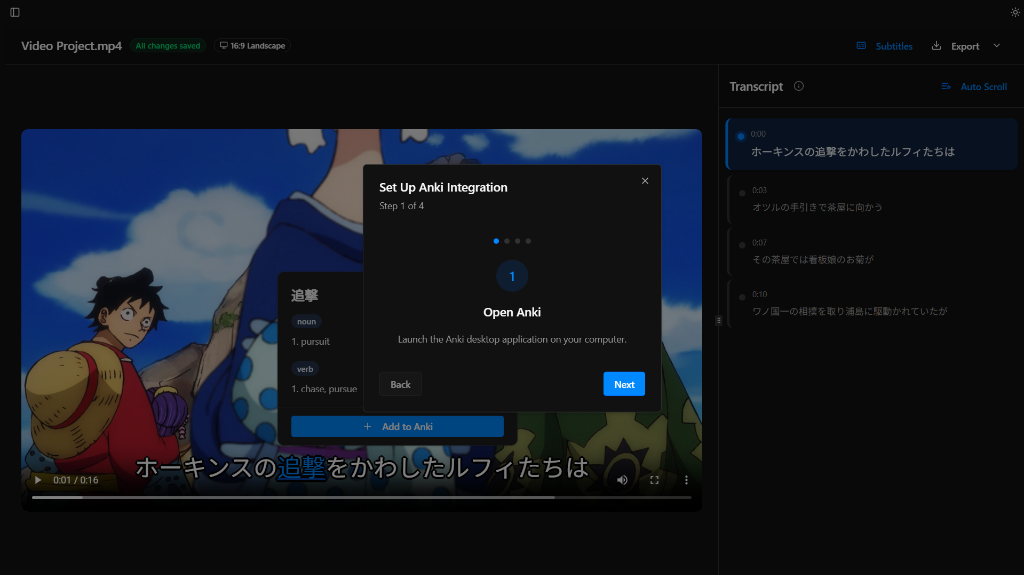
Most subtitle tools stop at transcription and export. SubSmith also supports popup dictionary lookup while you read through subtitles and lets you turn useful lines into flashcards for later review.
- Popup dictionary support for quick word lookups while reviewing subtitles
- Flashcard creation from subtitle lines for Anki-based study workflows
- Useful if you want subtitles and a language-learning workflow in the same app
Download SubSmith
Start a 7-day free trial and generate subtitles from your own media. Review them, look up words instantly, and save useful lines as flashcards.