Subtitle Generator for YouTube Video
Generate subtitle files for YouTube videos before you publish. SubSmith creates editable SRT subtitles from local video files, so you can review and correct them before uploading to YouTube Studio.
What It Does
Most YouTube creators rely on auto-captions after upload. That means errors in names, technical terms, and proper nouns go live with the video. SubSmith flips the workflow: generate the subtitle file locally, fix what needs fixing, then upload a clean SRT alongside your video.
- Generate and review subtitles before your video goes public
- Fix names, terminology, and timestamps before upload
- Export SRT directly compatible with YouTube Studio
- Works with MP4, MKV, and other common video formats
- All processing runs locally — no files sent to a server
How It Works
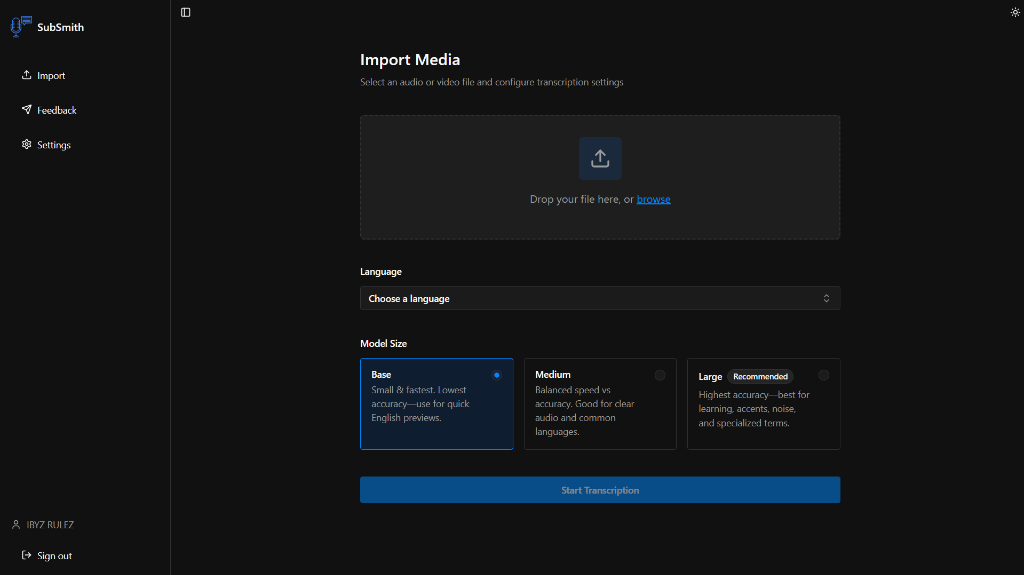
- Open the source video file in SubSmith
- Select the spoken language and generate subtitles
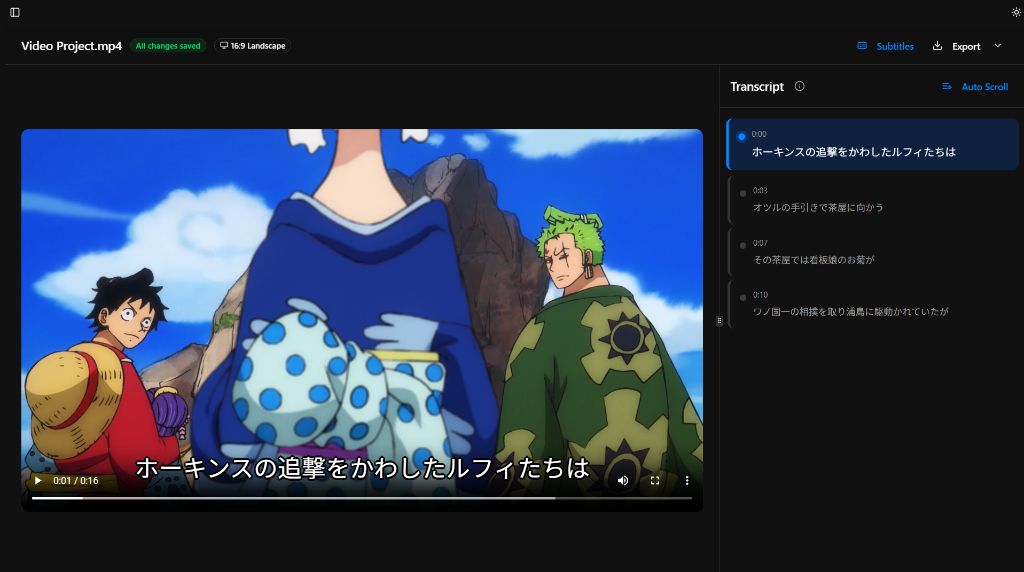
- Review and correct names, terms, and segment timing
- Export the SRT and upload it via YouTube Studio
See the Workflow
These are the parts of the app that matter most for subtitle generation: importing media, reviewing subtitles, looking up words, and saving useful lines for later study.
Best For
- Tutorial and educational channels where terminology accuracy matters
- Creators whose accents produce worse auto-caption results
- Anyone publishing technical or niche-vocabulary content to YouTube
Why SubSmith
YouTube auto-captions are generated after your video is live, with no review step. SubSmith gives you that review step before publication. After subtitles are finalized, tools like YouTube description generators can help streamline the rest of your publishing workflow.
Built for Learning, Not Just Export
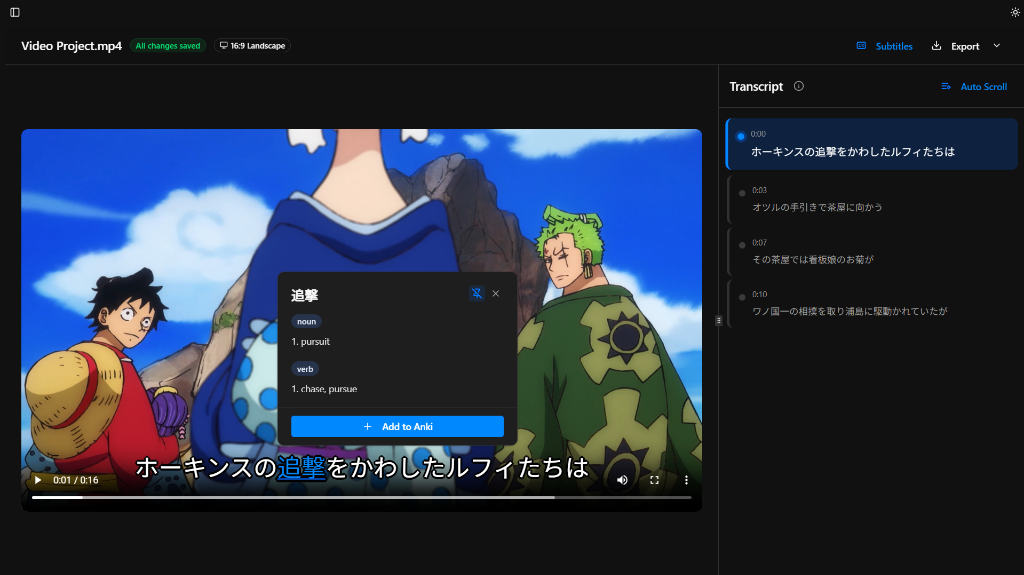
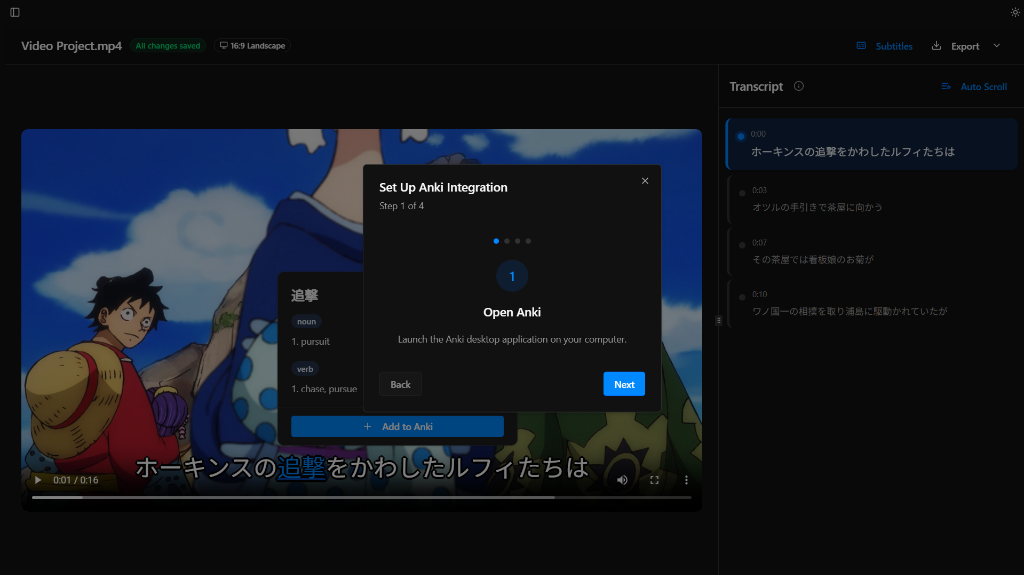
Most subtitle tools stop at transcription and export. SubSmith also supports popup dictionary lookup while you read through subtitles and lets you turn useful lines into flashcards for later review.
- Popup dictionary support for quick word lookups while reviewing subtitles
- Flashcard creation from subtitle lines for Anki-based study workflows
- Useful if you want subtitles and a language-learning workflow in the same app
The Pre-Upload Workflow
YouTube auto-captions are generated after a video goes live, giving you no review step before viewers see them. Working with the source file in SubSmith lets you transcribe, review, and correct the subtitle text before publication — so the captions are clean on the first view rather than corrected after the fact.
YouTube accepts SRT files as manually uploaded captions. An uploaded SRT is treated as a verified track, which is separate from the auto-generated track and takes precedence if both exist.
Where Auto-Captions Produce Errors
YouTube's speech recognition handles standard conversational speech reasonably well. It degrades on technical vocabulary, proper nouns (names, brands, product names), non-native English accents, and any language YouTube does not have strong training data for. These are exactly the categories where a correction pass in SubSmith makes the biggest difference, since you can spot and fix those errors before the file is uploaded.
Download SubSmith
Start a 7-day free trial and generate subtitles from your own media. Review them, look up words instantly, and save useful lines as flashcards.